 智云智造
Security & Alarm Design #3232: ESP32-WROOM-32D, Wi-Fi, HC-SR501 — BOM, Wiring Diagram & Firmware | Zhiyun Zhizao
Security & Alarm prototype #3232 built on ESP32 with ESP32-WROOM-32D, Wi-Fi, HC-SR501. Complete BOM (9 components, approx ¥84), pin-level wiring, 3D assembly, step tutorial and compilable firmware. Free to view — contact us for a custom variant.
Open in Studio → Contact us for details
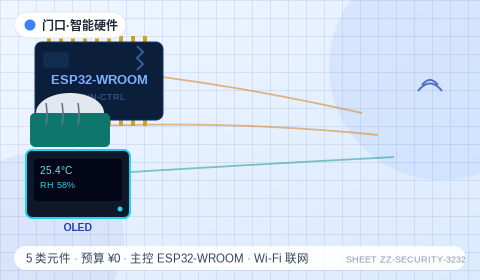
Bill of Materials (BOM)
| Component group | Model / Spec | Qty | Unit | Subtotal |
|---|---|---|---|---|
| MCU board | ESP32-WROOM-32D Wi-Fi + | ×1 | ¥22 | ¥22.0 |
| Sensor | + | ×1 | ¥4 | ¥4.0 |
| Sensor | HC-SR501 | ×1 | ¥7 | ¥7.0 |
| Display | 0.96 OLED SSD1306 I²C 128×64 | ×1 | ¥12 | ¥12.0 |
| Actuator | WS2812B RGB 8 ×2 | ×1 | ¥14 | ¥14.0 |
| Actuator | ×1 | ¥2 | ¥2.0 | |
| Structure | 40P / | ×1 | ¥5 | ¥5.0 |
| Structure | M3 | ×1 | ¥6 | ¥6.0 |
| Power | 5V 2A DC 3C | ×1 | ¥12 | ¥12.0 |
Pin-level wiring table
| Component | Pin | MCU pin |
|---|---|---|
| / | OUT | GPIO25 |
| MCU board | OUT | GPIO26 |
| OLED | SDA / SCL | GPIO21 / GPIO22 |
| RGB | OUT | GPIO27 |
| MCU board | OUT | GPIO13 |
3D assembly view
Step-by-step assembly
- 1. Prepare components and tools · 15 min
- 2. Bring up the minimal system · 15 min
- 3. Connect sensors and verify readings · 20 min
- 4. Connect actuators and drivers · 25 min
- 5. Add display and interaction · 20 min
- 6. Power rails and common ground check · 40 min
- 7. Flash the firmware · 25 min
- 8. Calibrate and integrate · 60 min
Firmware code
Arduino C++ · ESP32 Dev Module
/* zz-security-3232 · 门口门窗入侵报警器(HC-SR501+WS2812B+BZR稳压OLED告警版)
   校调基线:SAMPLE_S=15s / FILTER_N=16 / DEBOUNCE_N=5 / THRESHOLD_PCT=80
   采样与阈值在下方宏定义中修改后重新编译即可,无需改接线 */
/* 门口门窗入侵报警器(HC-SR501+WS2812B+BZR稳压OLED告警版)
 * 智云智造 AI 工程引擎生成 · 引脚宏与接线图一一对应
 * 板型:ESP32 Dev Module · Arduino IDE 安装对应库后编译上传
 */
#include <Wire.h>
#include <SSD1306Wire.h>

// ---- 引脚宏(引擎按无冲突原则分配)----
#define PIN_SDA 21
#define PIN_SCL 22
#define PIN_WS2812 27
#define PIN_BUZZER 13

// ---- 器件对象 ----
SSD1306Wire display(0x3C, PIN_SDA, PIN_SCL);

void setup() {
  Serial.begin(115200);
  Wire.begin(PIN_SDA, PIN_SCL);
  display.init(); display.flipScreenVertically();
  pinMode(PIN_WS2812, OUTPUT); digitalWrite(PIN_WS2812, LOW);
  pinMode(PIN_BUZZER, OUTPUT); digitalWrite(PIN_BUZZER, LOW);
  Serial.println("[ZYZZ] system ready");
}

void loop() {
  // 1) 采集传感器
  // 按需读取传感器
  // 2) 阈值判断与执行器联动
  display.clear(); display.drawString(0, 0, "ZYZZ READY"); display.display();
  // digitalWrite(PIN_WS2812, condition ? HIGH : LOW);  // RGB 灯带
  // digitalWrite(PIN_BUZZER, condition ? HIGH : LOW);  // 蜂鸣器
  Serial.printf("tick %lu\n", millis() / 1000);
  delay(2000);
}
Safety & compliance notes
- Double-check voltage and current ratings against datasheets before ordering parts.
- Keep mains voltage, lithium cells and high-current loads away from the prototype until insulation is verified.
- MCU, drivers and sensors must share a common ground; use separate power rails for motors and pumps.
- Do not replace certified safety devices (smoke alarms, gas detectors) with these prototypes.
- Generated results are for learning and prototype validation only.
FAQ
Is this design suitable for beginners?
Difficulty is rated out of 5 with an estimated build time. Follow the wiring table and the step tutorial in order; each step states the expected result before power-on.
Can I swap components or reduce the budget?
Yes — parts with the same bus and voltage are drop-in replacements. Keep separate power rails for high-current loads and update the firmware pin macros to match.
Can it run on battery / outdoors / report to the cloud?
The BOM already encodes the power and connectivity choice shown in the title. For outdoor use add the IP65 enclosure listed; Wi-Fi reporting hooks are reserved in the firmware.
Sensor readings look wrong — what now?
Calibration steps are in the tutorial: compare against a reference, perform two-point calibration for analog probes, and let gas sensors pre-heat before comparing values.
Where is data stored and can I get a custom version?
Local prototypes store data on SD card or serial output; Wi-Fi builds can push to your own server or an IoT platform. Contact us for a customized variant of any design.
Related designs
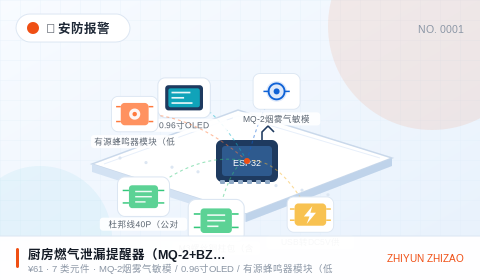 Security & Alarm Design #0001: ESP32-WROOM-32D, Wi-Fi, MQ-2 — BOM, Wiring Diagram & Firmware¥61 · 7 Components · Security & Alarm
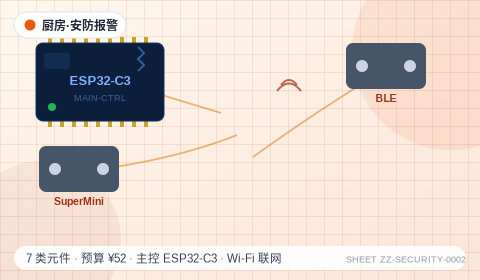 Security & Alarm Design #0002: ESP32-C3, SuperMini, Wi-Fi — BOM, Wiring Diagram & Firmware¥52 · 7 Components · Security & Alarm
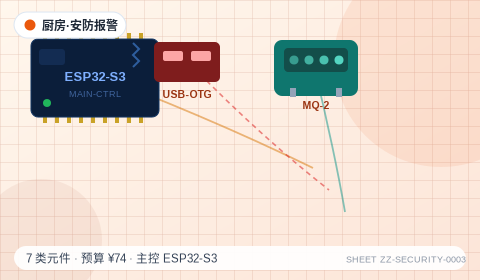 Security & Alarm Design #0003: ESP32-S3, DevKitC-1, USB-OTG — BOM, Wiring Diagram & Firmware¥74 · 7 Components · Security & Alarm
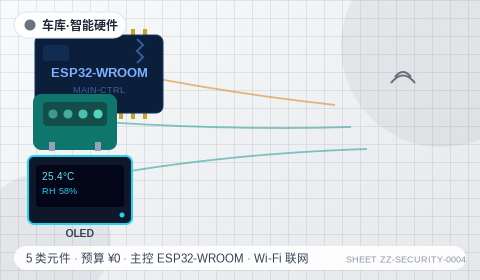 Security & Alarm Design #0004: ESP32-WROOM-32D, Wi-Fi, MQ-2 — BOM, Wiring Diagram & Firmware¥79 · 8 Components · Security & Alarm
 Security & Alarm Design #0005: ESP32-C3, SuperMini, Wi-Fi — BOM, Wiring Diagram & Firmware¥70 · 8 Components · Security & Alarm
 Security & Alarm Design #0006: ESP32-WROOM-32D, Wi-Fi, MQ-2 — BOM, Wiring Diagram & Firmware¥61 · 7 Components · Security & Alarm